Key takeaways
- You can only count scans if the code points to a link that records them; a static code pointing straight at your site cannot.
- A dynamic QR code counts every scan at the redirect, with time, place and device.
- UTM tags on the destination show QR traffic in GA4 as its own source.
- Use both: scans show reach, GA4 shows what visitors did next.
- Make one code per placement to compare them. No method shows who scanned.
On this page
- Can you track a QR code scan at all?
- Method 1: use a dynamic QR code
- What the scan report shows
- What “unique” means
- Method 2: add UTM parameters and track in GA4
- Why GA4 numbers are lower than scan counts
- Method 3: both together (recommended)
- The three methods compared
- Set it up so the data answers a question
- Can you track who scans a QR code?
- Measure sales from a scan
- FAQs
Say a brand prints 500 standees for its stores in Gujarat. Two weeks later someone asks which stores are working, and nobody can say. That is the gap this guide closes: how to track QR code scans so that the answer is a number, not a guess.
QR code tracking comes down to one rule. A printed code only reports back if the scan passes through something that counts it. There are three ways to set that up. I compare them below, including what each one cannot show you.
Can you track a QR code scan at all?
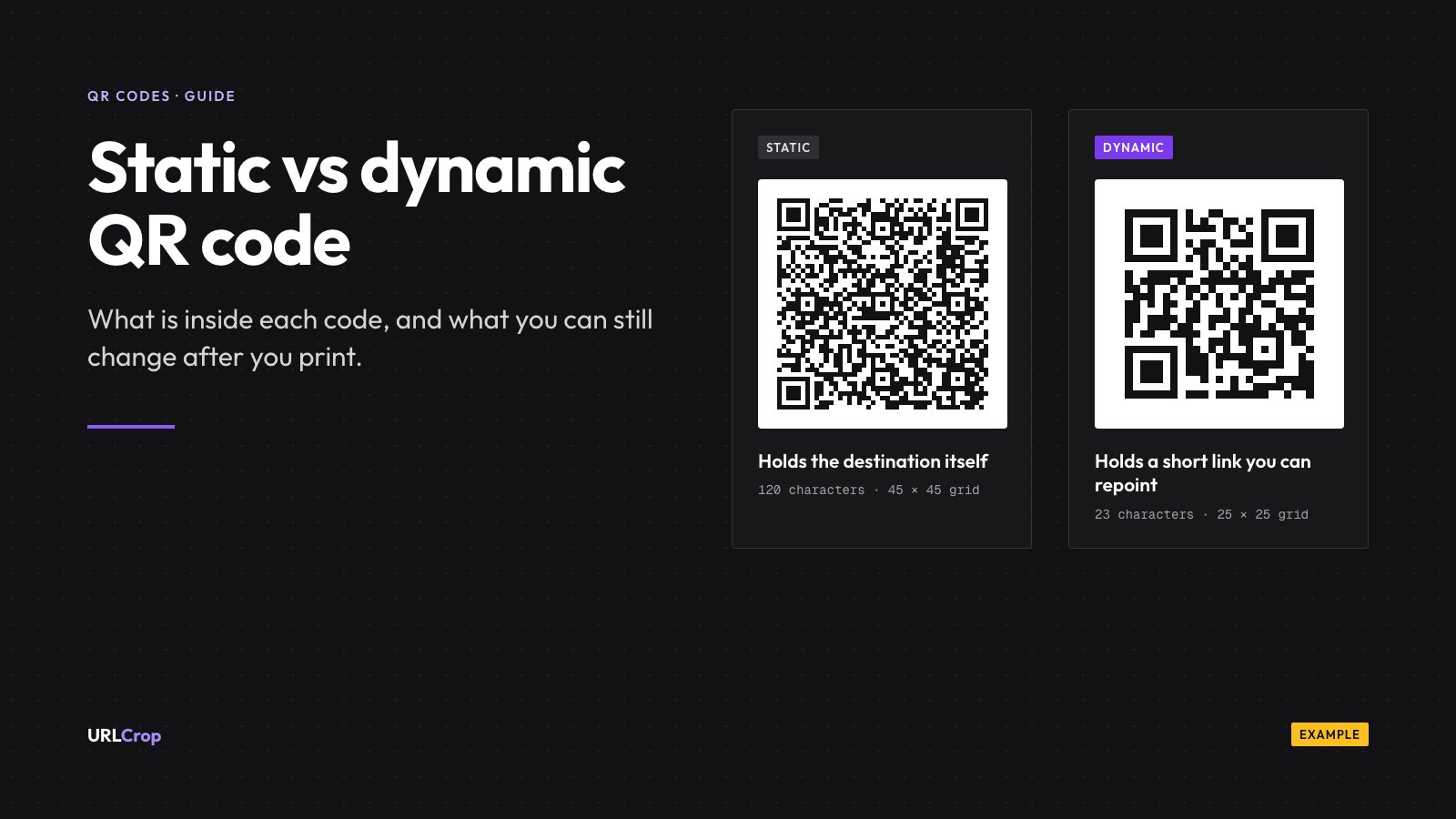
Yes, but only if the code is built for it. A static QR code holds your destination inside the pattern, so the phone goes straight to your page and nothing in between can count the scan. A dynamic QR code holds a short link, and the short link’s server counts each scan before sending the phone on. I explain the difference, and when static is still the better choice, in static vs dynamic QR codes.
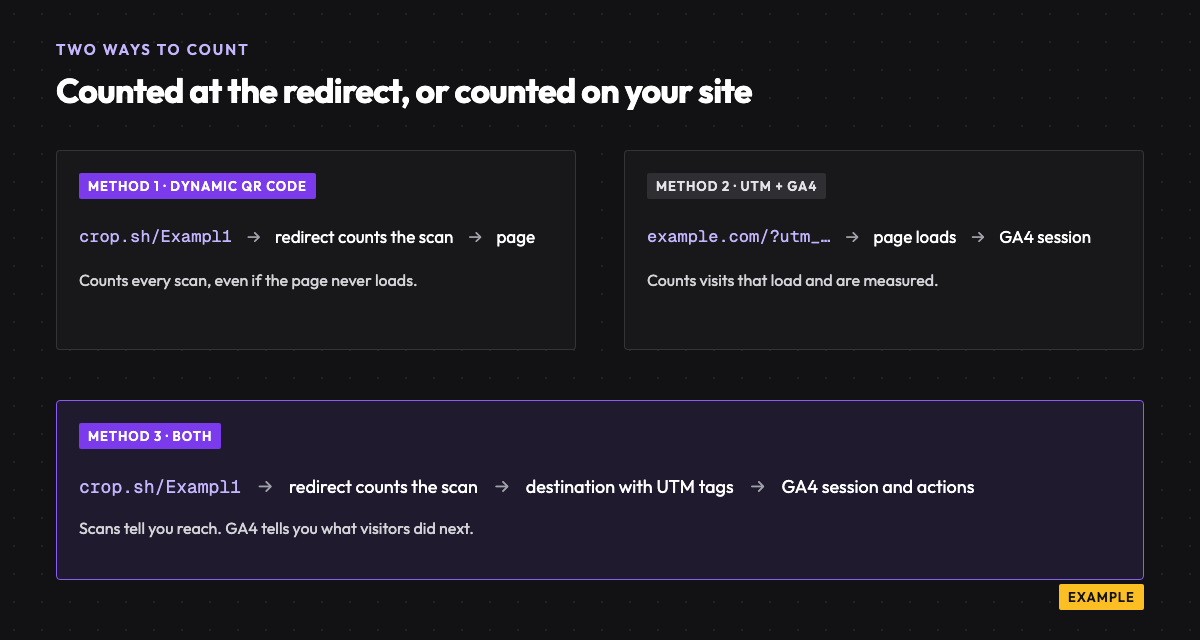
So a static code cannot be tracked directly. The only thing you can measure is the visit it causes, and only if the destination URL carries tracking tags. That is Method 2 below. Method 1 counts scans. Method 2 counts visits. Method 3 uses both.
Method 1: use a dynamic QR code
This is the simplest route and the one that counts a scan even when the page never loads. Here is the flow in URLCrop. The Free plan includes up to 3 dynamic QR codes with scan analytics.
- Create a free account and verify your email. Creating anything needs a verified email.
- Open QR codes and start a new code.
- Choose the URL type and paste your destination. Keep it in dynamic mode, which is what makes it countable.
- Pick colours, then download PNG, SVG or PDF.
- Test-scan the downloaded file with a phone before it goes to the printer.
- Print it, put it up, and watch scans arrive in the analytics view for that code.
What the scan report shows
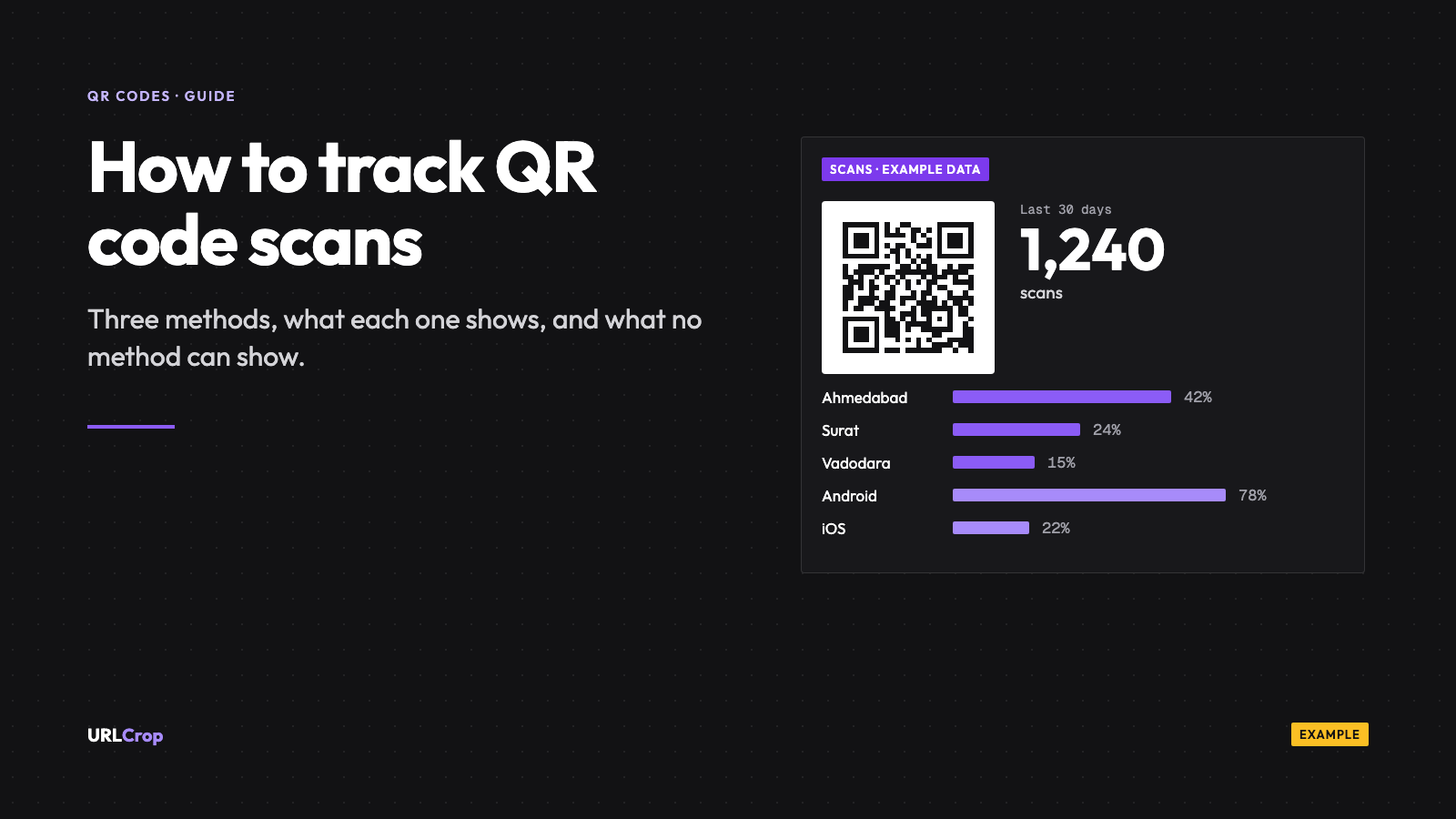
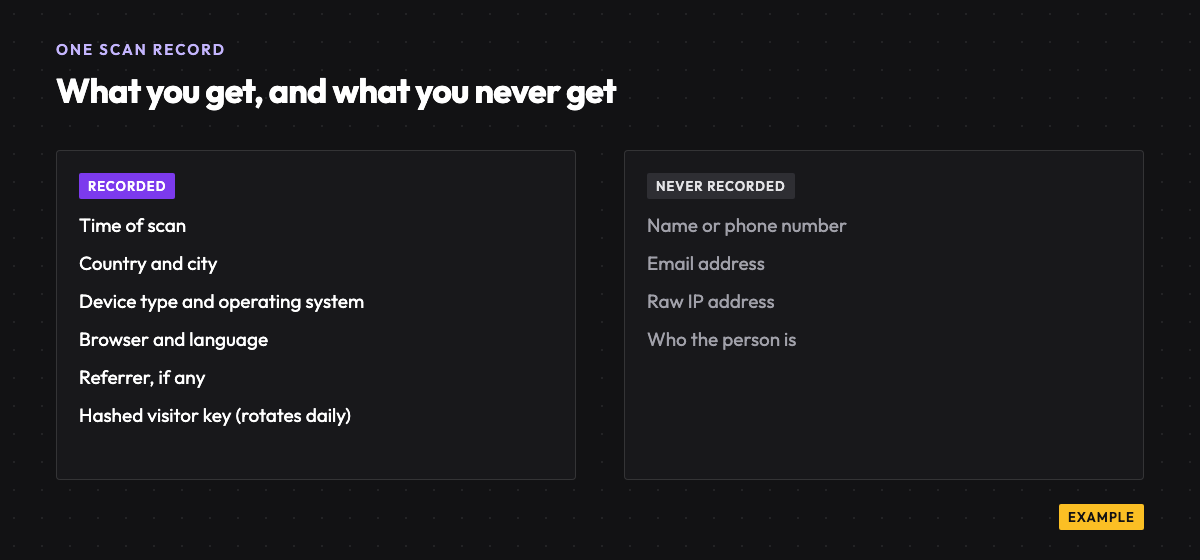
Each scan of a dynamic code is recorded with its time, country, city, device type, operating system, browser, language and referrer. You see those as scans over time and as breakdowns, with a QR-specific view in scan and click analytics. Bots and crawlers are filtered out by default, so a link checker does not inflate your count.
Scans are counted separately from clicks on the same link. That matters if you also share the short link on Instagram or WhatsApp: the poster and the post can sit in one campaign, and you can still tell them apart.
On the Free plan the detailed data is kept for 30 days. Starter keeps it for a year, Pro for two years and Business for three. Check the pricing page for the current limits.
What “unique” means
Unique scans are an estimate of distinct devices, not people. URLCrop works it out from a hashed, salted visitor key that rotates daily, and it never stores raw IP addresses. Because the key rotates, the same phone scanning on two different days is likely counted as two uniques. And one person with two phones is two devices.
Use unique scans to judge reach roughly, and use total scans to judge repeat interest. Neither one is a head count.
Method 2: add UTM parameters and track in GA4
This method works with any QR code, including a static one, because the tracking sits on the destination URL. The tags tell Google Analytics where the visit came from. It needs GA4 already installed on your site. For the tags themselves, see my UTM parameters guide.
- Build the tagged URL. Google says that when you add parameters you should always use
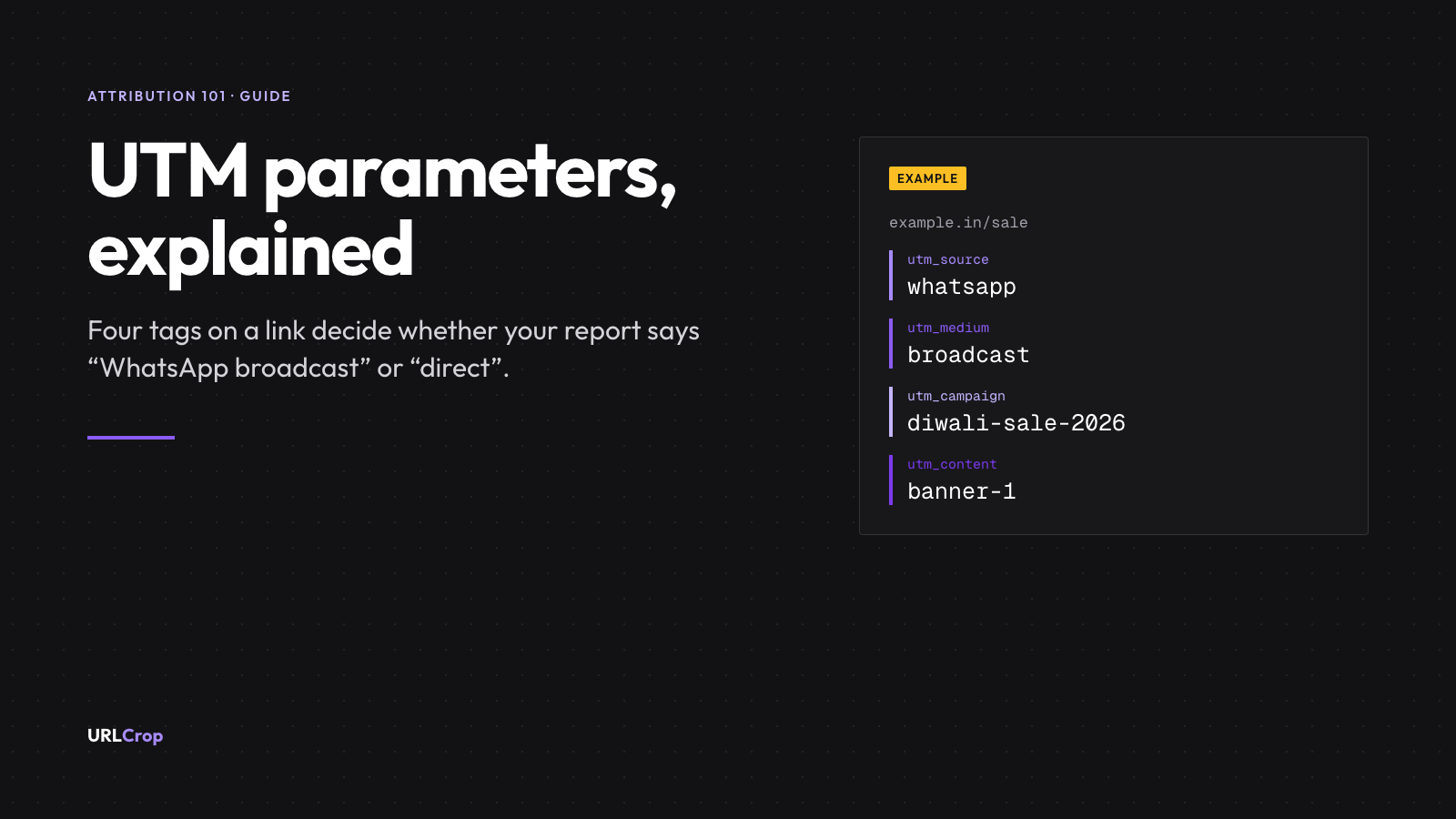
utm_source,utm_mediumandutm_campaign, and thatutm_contentis for telling creatives apart (Google Analytics Help, URL builders). For a standee in Ahmedabad I would use:https://www.example.com/offer?utm_source=qr&utm_medium=print&utm_campaign=diwali-sale&utm_content=standee-ahmedabad-1 - Keep every value lowercase. Google states that parameter values are case sensitive, so
qrandQRshow up as two different sources. - Generate the QR code from that full URL. The free UTM builder assembles the tags, and the free QR code generator makes the pattern. Both run in your browser and store nothing.
- Scan the finished code with a phone and confirm the page opens with the tags in the address bar.
- After scans start, open GA4, go to Reports, then Acquisition, then Traffic acquisition. Google describes this as the report that shows where your visitors are coming from (Google Analytics Help, Traffic acquisition). Change the table’s dimension to Session source / medium or Session campaign to find
qr / printand your campaign name.
I encoded that exact URL as a test. It is 117 characters and needs a 45 x 45 module grid at error correction level M. The short link https://crop.sh/Exampl1 is 23 characters and fits in 25 x 25. Method 2 on a static code works, but the long tagged URL makes a denser pattern, which is harder to scan when printed small.
Why GA4 numbers are lower than scan counts
A scan is counted the moment the phone requests the link. A GA4 session only exists if your page loads and the GA4 tag runs. Between those two steps people close the tab, lose signal in a basement mall, or decline analytics cookies.
On consent, Google’s own help page says that when a visitor denies analytics storage, Google Analytics will not read or write first-party analytics cookies. Only with advanced consent mode does it still send cookieless pings, which it uses for modeling (Google Analytics Help, Consent mode). Either way, those visits are modelled or missing, not counted one by one. Ad blockers can also stop the tag from loading; I have not tested how often, so I will not give a rate.
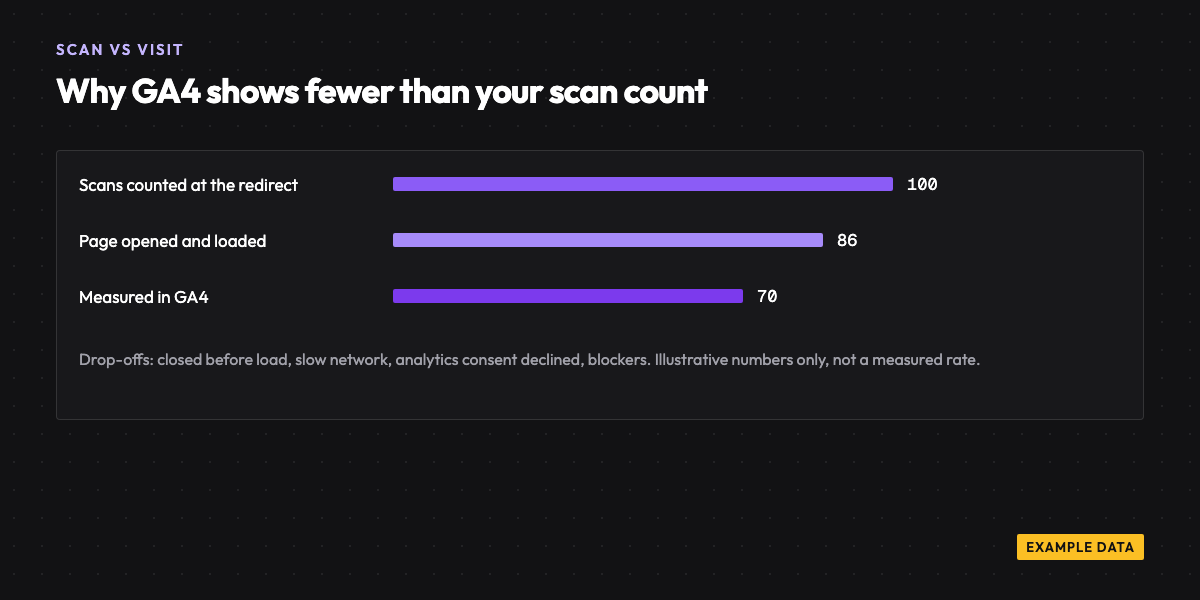
The practical point: treat the scan count and the GA4 session count as two different measurements. A gap between them is normal. A gap that suddenly widens is worth checking: the page may have got slower or broken.
Method 3: both together (recommended)
Create a dynamic QR code whose destination is the UTM-tagged URL. The scan is counted at the redirect, then the visitor lands on your page with the tags attached, and GA4 records the session under qr / print.
Each tool answers a different question. URLCrop answers how many people scanned this code and where. GA4 answers what those visitors did on your site. If the destination ever changes, you edit it in the dashboard and update the UTM tags there, without reprinting.
The three methods compared
| Method 1: dynamic QR | Method 2: UTM + GA4 | Method 3: both | |
|---|---|---|---|
| Edit destination after print | Yes | No, if the code is static | Yes |
| Counts scans | Yes, at the redirect | No, counts visits only | Yes |
| Location (country, city) | Yes | Yes, in GA4 reports | Both places |
| Device and OS | Yes | Yes | Both places |
| On-site behaviour | No | Yes | Yes, in GA4 |
| Conversions | No | If set up in GA4 | If set up in GA4 |
| Needs GA4 | No | Yes | For the on-site half |
| Free plan | 3 dynamic codes, 30 days of data | Free to set up with GA4 | 3 codes, 30 days, plus GA4 |
Set it up so the data answers a question
The number of scans is rarely the point. The point is a decision: which poster, which store, which batch. These habits make the data usable.
- One code per placement. Two standees with the same code give you one blended number. A code per store, per table tent or per packaging batch gives you a comparison.
- Name codes by place and date. “Standee Ahmedabad Nov 2026” still makes sense in six months. “QR 7” does not.
- Use
utm_contentfor the placement. The same value in the code name and the tag makes the two reports easy to match. - Test-scan before printing. Scan the exact file you send to the printer, on an Android phone and an iPhone.
- Leave the quiet zone. The blank border around the code needs to stay blank. I will cover print size and quiet zone in a separate print guide.
If you run activity across shops, restaurants or events, the offline marketing page shows how teams group codes into one campaign.
Can you track who scans a QR code?
No. You can see how many scans there were, where they came from at country and city level, which device and operating system were used, and when. You cannot see a name, a phone number or an identity. URLCrop does not store raw IP addresses; it keeps a hashed, salted key that rotates daily.
If you want to know who someone is, ask them. Put an offer on the landing page, such as a discount code in exchange for a WhatsApp number or an email, and let the visitor choose to share it. That is legitimate. Trying to identify people from the scan itself is not something any honest tool offers, and any vendor claiming it deserves a hard question.
A scan count is not a result. It is the first number in a chain that ends at a sale. Count scans, then follow them to what happened next.
Measure sales from a scan
Scans and visits are the top of the chain. Connecting a scan to an order is the next step. URLCrop’s conversion tracking, Convert, is listed as coming soon for Business plans and above, so I will not describe it as live. Until then, use a GA4 conversion on the destination page, or a coupon code unique to each placement.
FAQs
Can you track scans of a static QR code?
Not the scan itself. Nothing sits between the phone and the destination, so nothing can count it. You can measure the visit, if the destination URL carries UTM tags and your site has GA4.
How do I track QR code scans in Google Analytics?
Add UTM tags to the destination URL (source, medium, campaign and content), generate the QR code from that tagged URL, then open Reports, Acquisition, Traffic acquisition in GA4 and look at session source and medium. The steps are in Method 2 above.
Can I see who scanned my QR code?
No. You get aggregated counts, places and devices, not people. URLCrop does not record names or raw IP addresses.
Is QR code tracking free?
The Free plan includes 3 dynamic QR codes with 30 days of scan analytics, and GA4 is free to set up. See pricing for higher limits and longer retention.
Why does GA4 show fewer visits than my scan count?
A scan is counted at the redirect. A GA4 visit needs the page to load, the tag to run and, where it applies, analytics consent. Drop-off at each step makes the GA4 number lower, which is normal.
If you want counts and a destination you can edit, you can create a free account and make a trackable QR code.
Dynamic QR codes
Print once. Change the link any time.
Make a dynamic QR code, point it somewhere new after it is printed, and see scans by city and device.
Free plan, no card needed.

Newsletter
The URLCrop newsletter
Get one link, QR and attribution playbook a week. No spam, unsubscribe any time.