Key takeaways
- A static QR code stores the destination itself; a dynamic QR code stores a short link that points to it.
- You can change where a dynamic code goes after printing; a static code needs a reprint.
- Only dynamic codes can count scans, because the scan passes through a redirect.
- Static codes never expire; a dynamic code lives as long as its provider keeps redirecting.
- You cannot turn a printed static code into a dynamic one, so decide before you print.
On this page
- Static vs dynamic QR code: the short answer
- What a static QR code is
- When static is the right choice
- What a dynamic QR code is
- What “dynamic” lets you do
- What a dynamic code depends on
- “Dynamic QR” means something else on UPI payments
- Do static QR codes expire?
- Can you change a static QR code into a dynamic one?
- How scan tracking works (and what it does not see)
- Which one to print: a 30-second checklist
- Make one now
- FAQs
The static vs dynamic QR code question usually comes up too late: after 500 menus are printed and the prices change, or after a standee points to a page that no longer exists. The answer is simple. A static QR code holds your destination inside the pattern itself. A dynamic QR code holds a short link, and that link decides where the scan goes.
That one difference decides everything else: whether you can edit the code after printing, whether you can count scans, and what happens if you stop paying a vendor. Here is how I would choose, with a test you can repeat.
Static vs dynamic QR code: the short answer
A static QR code encodes the final data directly, such as a URL, a Wi-Fi password or a UPI ID. It cannot be edited or tracked, and it never expires. A dynamic QR code encodes a short link that redirects to your destination, so you can change the destination after printing and count every scan.
| Static QR code | Dynamic QR code | |
|---|---|---|
| What is encoded | The destination itself (URL, text, Wi-Fi, vCard, UPI string) | A short link, for example crop.sh/… |
| Edit after printing | No. Change it and you reprint | Yes. Change the link’s destination in the dashboard |
| Scan counts | No. Nothing sits between the phone and the destination | Yes, counted at the redirect |
| Works without a provider | Yes | No. The short link must keep redirecting |
| Expiry | Never. Only the destination can die | Lives as long as the provider keeps redirecting |
| Pattern density | Grows with the length of the data | Stays small, because the short link is short |
| Cost | Free to make, many tools | Needs an account; URLCrop’s Free plan includes 3 |
| Best for | Wi-Fi cards, vCards, a fixed UPI ID, one-off events | Menus, campaigns, packaging, brochures, anything printed in bulk |
What a static QR code is
A static QR code is the data, drawn as black and white squares. When you scan it, your phone reads the text out of the pattern and acts on it. If it is a URL, the browser opens it. If it is a Wi-Fi string, the phone offers to join the network. No server sits in the middle.
The QR code was released by DENSO WAVE in 1994 and the symbology is now an international standard, ISO/IEC 18004:2024. The standard defines 40 sizes, called versions. Version 1 is 21 × 21 modules and version 40 is 177 × 177, with each step adding 4 modules per side. More data needs a higher version, which means more, smaller squares in the same printed space.
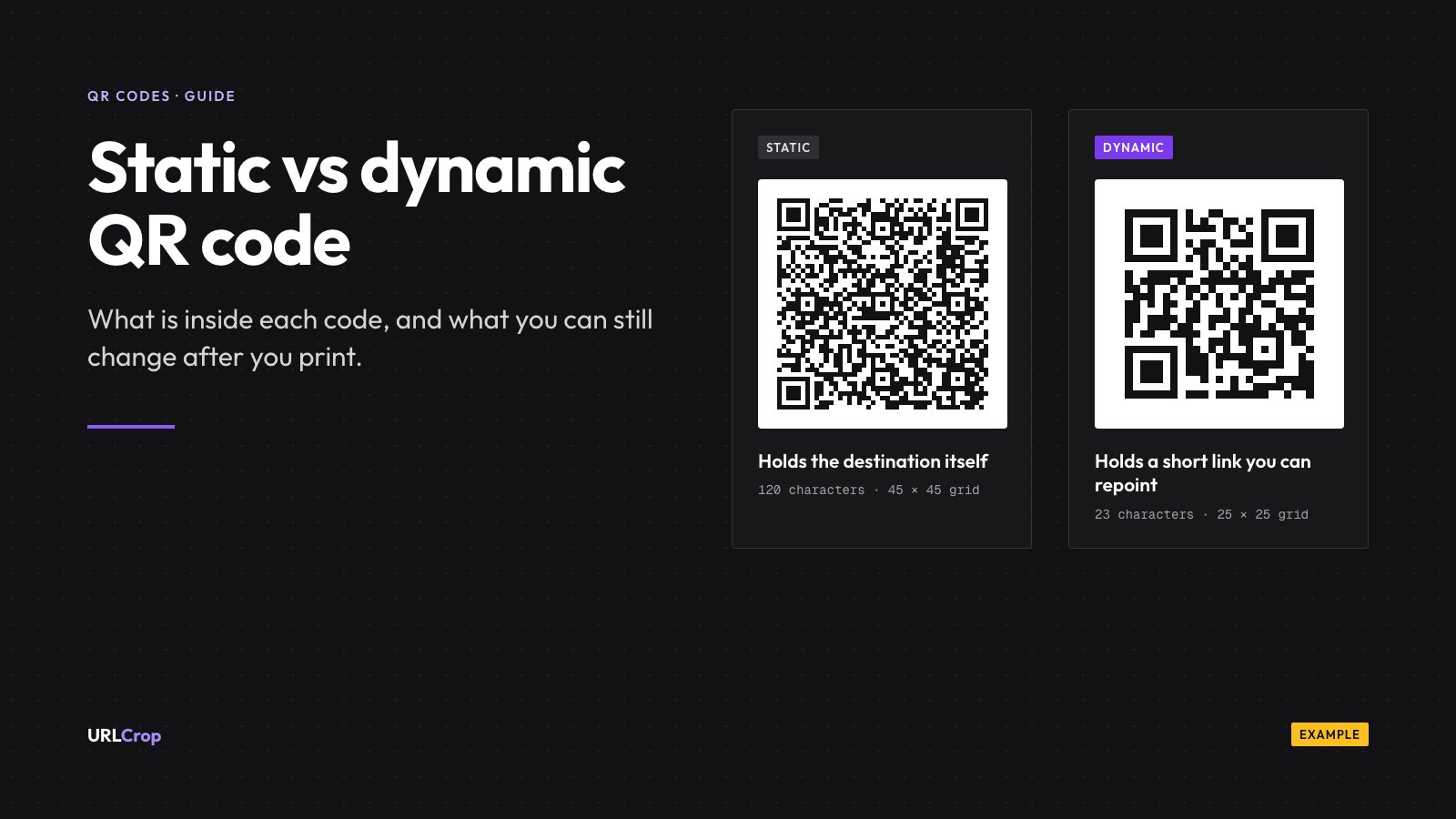
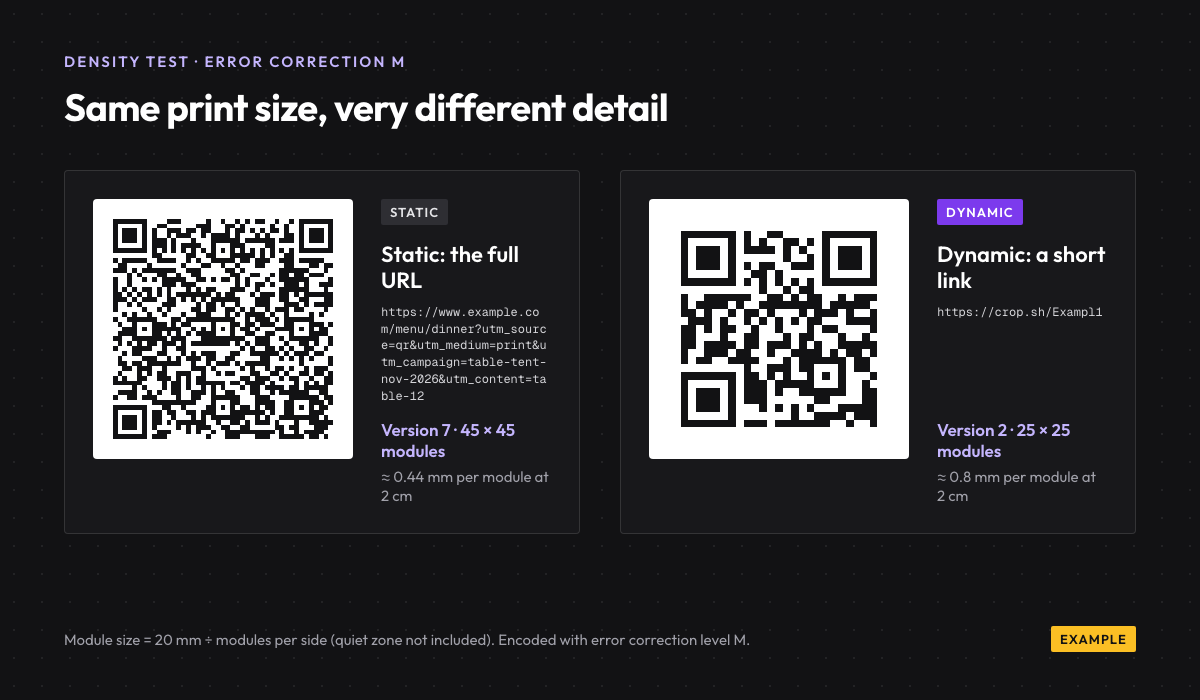
That is the part most comparisons skip, so I tested it. I encoded two URLs at error correction level M, the level DENSO WAVE says is most frequently selected:
- A 120-character menu URL with UTM tags: version 7, 45 × 45 modules.
- A 23-character short link (
https://crop.sh/plus a 7-character code): version 2, 25 × 25 modules.
Print both at 2 cm wide and each module of the long code is about 0.44 mm. Each module of the short one is 0.8 mm, nearly twice as big. Bigger modules are easier for a cheap phone camera to read in a dim restaurant. A long static URL is not wrong, but it costs you scan distance.
Print size changes the maths. When I made two QR codes for Hotel Winsome in Narol, Ahmedabad, they printed both on A5 sheets. At that size the code is many times wider than 2 cm, so even a dense pattern has large modules and scans easily. Density starts to matter only when the code shrinks: visiting cards, price tags, product labels.
When static is the right choice
Static is underrated. Most people who pay for a dynamic QR subscription only needed a static code. Use static when the data will not change and you do not need counts:
- Wi-Fi card on a café table. The network name and password live in the code.
- vCard on a visiting card. Your phone number is not going anywhere.
- A fixed UPI ID at a shop counter. The bank or your UPI app already gives you one, or you can make one with our UPI QR code generator. My step-by-step guide on how to make a UPI QR code covers the amount and note fields too.
- A one-off event where the page will not move before the event ends.
A real example: for Hotel Winsome I made two codes. One opens the hotel’s Google review page; the other opens its location on Google Maps. Both destinations stay the same for as long as the hotel is at that address, so static codes were the right call. No subscription, nothing to renew, and nothing that can break if a vendor changes its terms.
For any of these, the free QR code generator on our site is enough. It runs in your browser and stores nothing.
What a dynamic QR code is
A dynamic QR code is a static QR code that contains a short link instead of your real destination. The phone opens the short link, the short link’s server looks up where it should go right now, and it sends the phone there with a redirect. The whole round trip is usually too quick to notice.
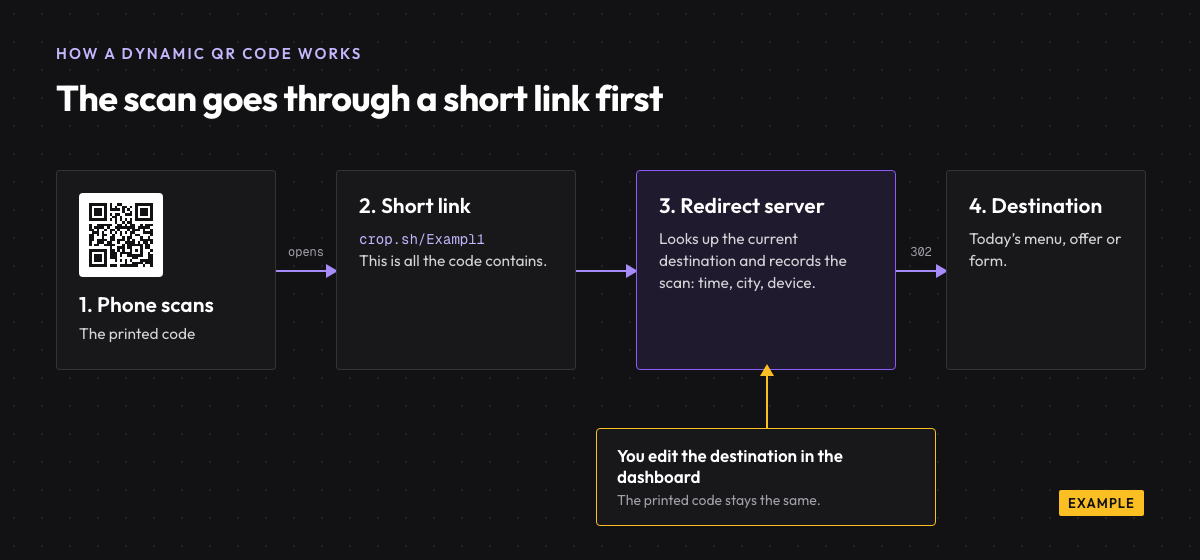
Technically, then, “dynamic” is not a different kind of QR code. The pattern is fixed like any other. What changes is the record behind the short link.
What “dynamic” lets you do
- Change the destination after printing. In URLCrop, you edit the link and the same printed code opens the new page within about 5 seconds.
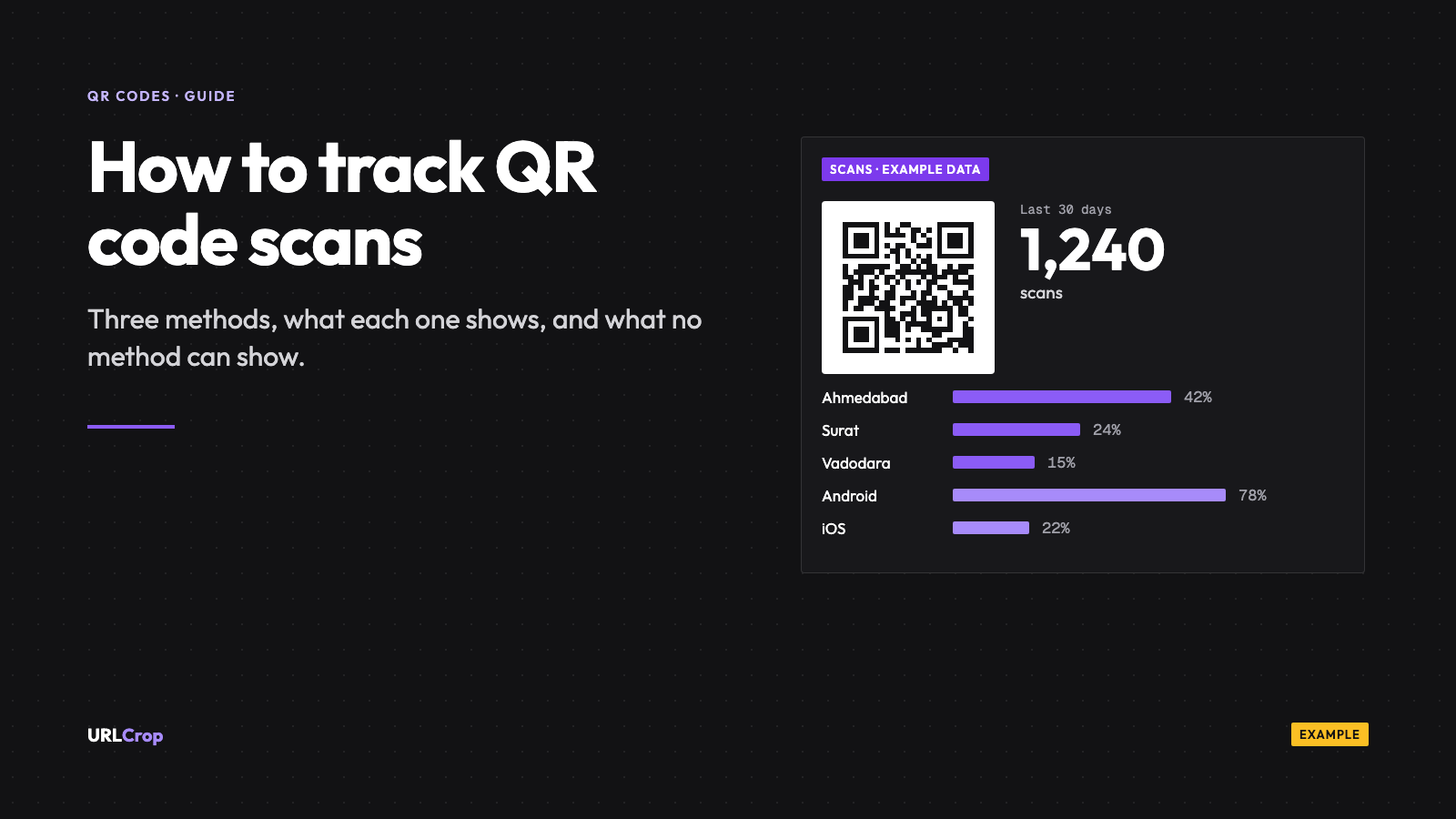
- Count scans. Each scan is recorded with the time, country, city, device and operating system.
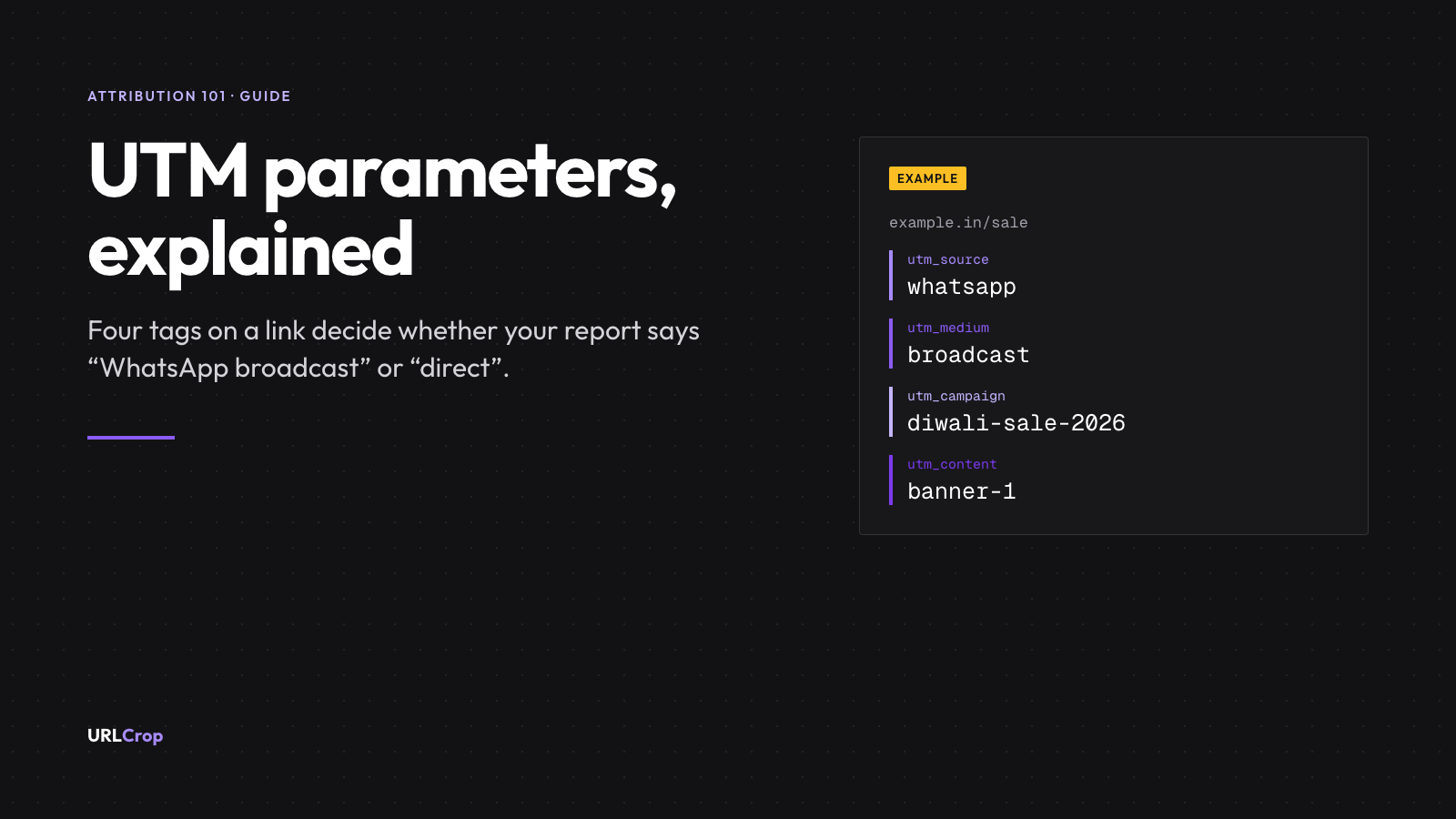
- Tag campaigns. Put UTM parameters on the destination so Google Analytics knows the visit came from print. Google lists the parameters in its URL builders help page.
- Turn it off if the offer ends and you would rather the code stopped working.
If the thing is printed in hundreds, dynamic is cheap insurance. One price change on a menu card covers the cost of the decision.
What a dynamic code depends on
Here is the honest trade-off. A dynamic code only works while its short link keeps redirecting. If the provider shuts down, deletes your account or switches the code off when a plan lapses, every printed copy points nowhere.
So before you print 10,000 packets, ask the vendor one question: what happens to my printed codes if I stop paying? Get the answer in writing.
Our answer: links and QR codes keep redirecting through quota limits, failed payments and downgrades. Limits only pause creating new things and some dashboard features. A code stops only if you disable or delete it, or if its destination is blocked for safety. It is written on our pricing page.
“Dynamic QR” means something else on UPI payments
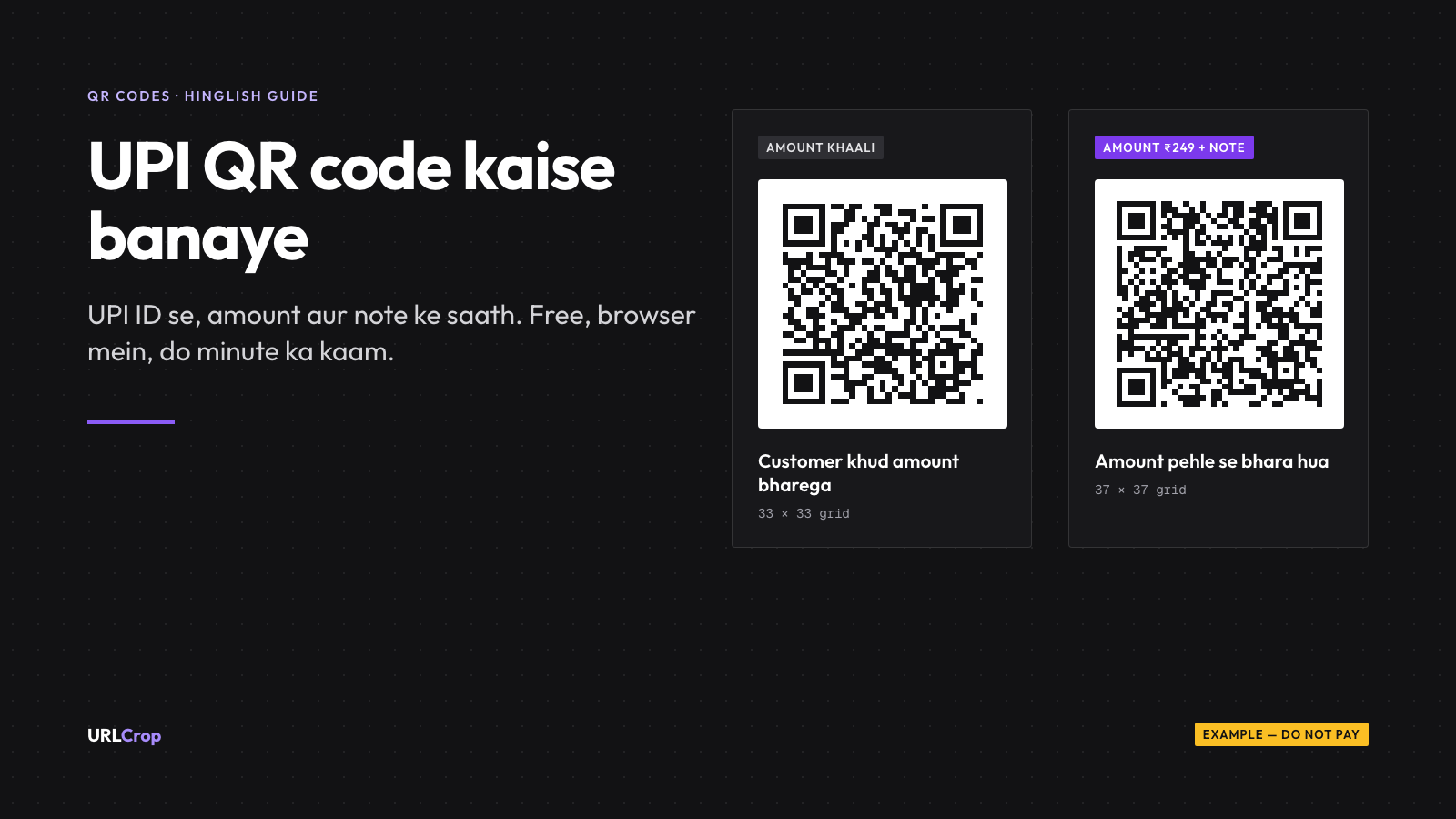
In India you will see “dynamic QR” used for payments too, and it means something different. A dynamic payment QR is generated for one bill, with the amount filled in, like the code a billing counter or a payment gateway shows you. A static payment QR is the reusable one stuck to the counter, where the customer types the amount.
That is a separate topic. In this post, dynamic means a QR code that contains an editable, trackable short link.
Do static QR codes expire?
No. The data is in the pixels, and no server is involved, so there is nothing to expire.
When someone tells me their “static QR code stopped working”, it is almost always one of two things:
- The destination died. The website moved, the Google Form was deleted, the PDF link changed. The code still works; it opens a dead page.
- It was never static. Some free generators quietly encode their own short link and call the result static. When their free period ends, the code stops. Scan your code with the camera and look at the URL it shows before you print. If it is not your domain, it is not your code.
Can you change a static QR code into a dynamic one?
No. The printed pattern is fixed, and it already contains the final destination. No setting anywhere can change what the ink says.
There is one workaround. If the static code points to a URL on your own website, you can set up a redirect on that URL to send visitors somewhere new. You get editing that way, but you still get no scan data from the code itself, only whatever your website analytics records.
If you are reading this before printing, decide now. It is the only cheap moment to make this choice.
How scan tracking works (and what it does not see)
Scans can only be counted when the scan passes through a server, which is why static codes cannot be tracked. With a dynamic code, each scan hits the short link first, and that request is logged before the redirect.
What gets recorded in URLCrop: the time of the scan, the country and city worked out from the IP address, the device type and the operating system. What does not get recorded: the person’s name, phone number or anything they type. We store a hashed form of the IP address, never the raw one.
That is enough to answer the questions that matter for print. Did the Diwali standee in the Pune store get more scans than the one in Nashik? Do people scan the menu at lunch or at dinner? Are they on Android or iPhone? My guide on how to track QR code scans covers both routes, including the free UTM one.
Which one to print: a 30-second checklist
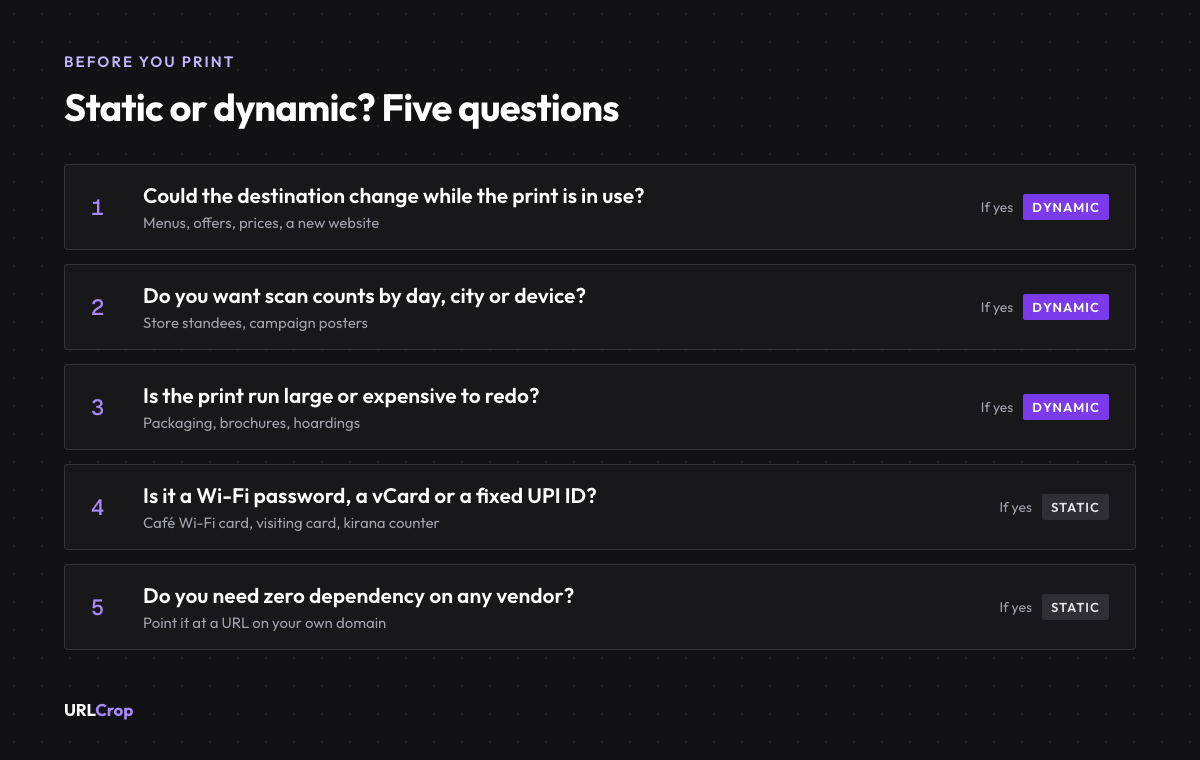
Answer five questions. If you say yes to any of the first three, print a dynamic code.
- Could the destination change while the print is still in use? Prices, offers, menus, a new website.
- Do you want scan counts by day, city or device?
- Is the print run large or expensive? Packaging, brochures, hoardings, anything you cannot reprint by tomorrow.
- Is the payload a Wi-Fi password, a vCard or a fixed UPI ID? Then static is usually right.
- Do you need zero dependency on any vendor? Then static, pointed at a URL on your own domain.
How that plays out for common Indian cases:
- Restaurant or café menu: dynamic. Menus change more often than anyone plans.
- Kirana counter UPI standee: static UPI QR from your bank or app, or from our free UPI tool.
- D2C packaging: dynamic, one code per batch, so you can see which batch gets scanned and update the landing page without a new print run. See packaging QR codes for D2C brands.
- Real estate brochure: dynamic for your own marketing code, because price sheets and site-visit forms change. Keep it separate from any code a regulator issues for the project.
- Visiting card: static vCard, unless you want to know who scans it.
More examples by business type are on our page on QR codes for restaurants, shops and events. Print size matters as much as type; my QR code print guide is coming in this series.
Make one now
Static: use the free QR code generator. It runs in your browser and stores nothing, so there is no account and no tracking.
Dynamic: create a free account and verify your email. The Free plan includes 3 QR codes and 30 days of scan analytics. You get the short link, the editable destination and the scan counts described above. Details are on the dynamic QR code with scan analytics page.
Before you print, scan the file once with your phone camera and read the URL it shows. If it is not the link you expect, stop and fix it now. That ten-second check saves a reprint.
FAQs
What is the difference between a static and a dynamic QR code?
A static QR code stores the destination itself, so it cannot be edited or tracked. A dynamic QR code stores a short link, so you can change where it goes after printing and count each scan.
Do static QR codes expire?
No. The data is in the pattern and nothing sits in between. If a static code stops working, the destination has died, or the code was really a vendor’s short link.
Are dynamic QR codes free?
With URLCrop, yes, up to 3 on the Free plan with a registered account. Paid plans raise the limit; see pricing. If a paid plan lapses, existing codes keep redirecting.
Can I edit a static QR code after printing?
No. You reprint it, or, if it points to a URL on your own domain, you redirect that URL somewhere else on your website.
Is a dynamic QR code safe to scan?
It is a normal redirect, so it is as safe as the destination. URLCrop checks destinations, and unknown destinations on new workspaces show a safety page before the visitor continues.
Dynamic QR codes
Print once. Change the link any time.
Make a dynamic QR code, point it somewhere new after it is printed, and see scans by city and device.
Free plan, no card needed.

Newsletter
The URLCrop newsletter
Get one link, QR and attribution playbook a week. No spam, unsubscribe any time.